Digital Citizenship
Lesson Plan for Grade 1, Technology
Prepared by Natalee Foret
OVERVIEW & PURPOSE
The purpose of this lesson is to understand that computers can be used to learn many new things. We must learn to be safe while using computers and protect ourselves as we would in the real world.
TEKS
(5) Digital citizenship. The student practices safe, responsible, legal, and ethical behavior while using digital tools and resources. The student is expected to:
- (A) adhere to acceptable use policies reflecting appropriate behavior in a digital environment;
(B) comply with acceptable digital safety rules, fair use guidelines, and copyright laws; and
(C) practice the responsible use of digital information regarding intellectual property, including software, text, images, audio, and video.
OBJECTIVES
- Computers can be used to learn new things.
- Computer/ Internet Safety
- What does it mean to be a digital citizen
ACTIVITY
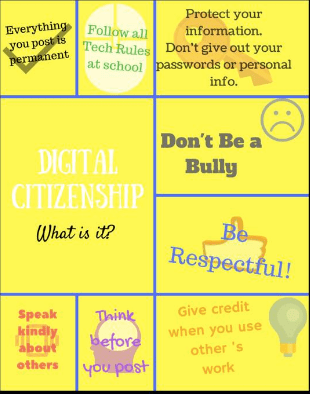
Gather students together and talk about the ways that we use technology in our classroom and in our school. Discuss the rules of that we follow to protect ourselves in real life and how they relate to the rules we need to follow online to protect ourselves and our information.
Discuss computer etiquette
Cyber-Bullying
Passwords and their use
Copyrighted information
Ad’s and why we should not click on them
Ask and engage students by having them chime in with ideas and relate to personal situations. Create a table on the board categorizing the different topics we discuss and where they fall into digital citizenship, have students draw lines to link topics. Use poster created in Canva to show the topics we discuss in a more concrete form. Hang poster in computer area for a constant reminder.



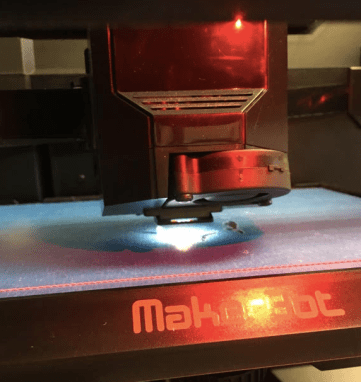
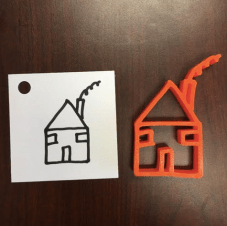 it. So think big teachers. Geometric shapes for math or a descriptive story for 4th grade writing. Students could also draw a flower for science that they will later label. high school teachers -what about molecules?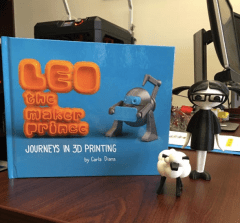
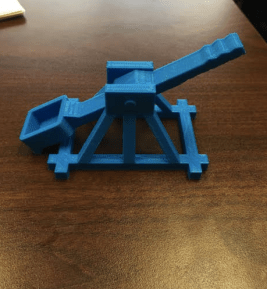 A catapult – math and science teachers. There are lots of various activities you can do with this. You can start basic in elementary ages with just mean, median, and mode. Then you can go as high as high school students using physics and predictions for their activity. April said one teacher then surprised her class with a little catapult for every student as a Christmas gift.
 “Sugar and spice and everything nice; that’s what little girls are made of.” And big dreams. They forgot to add that line into the poem. I can imagine that we (young females) never said that we couldn’t wait to grow up and date the wrong guy, fall into debt, betray our best friend, make unhealthy choices, choose the wrong career, or get divorced. Unfortunately, it happens. We make big, fat mistakes, and when we do the devil cleverly smiles. He knows exactly how much havoc the repercussions of each of these failed moments will take on you. He knows just how strong the grip of guilt will be on your psyche and your soul. He knows that if you don’t turn to God, truly surrendering, that you will never quite step out to become what God has intended for you to be. What exactly is that? I truly believe that God intends for us to be FIERCE. I said it – God wants his women to be fierce.